

ALLHCRE 2026 Correction Window Open: Key Dates, Fields Allowed
Last Updated: Sep 23, 2026
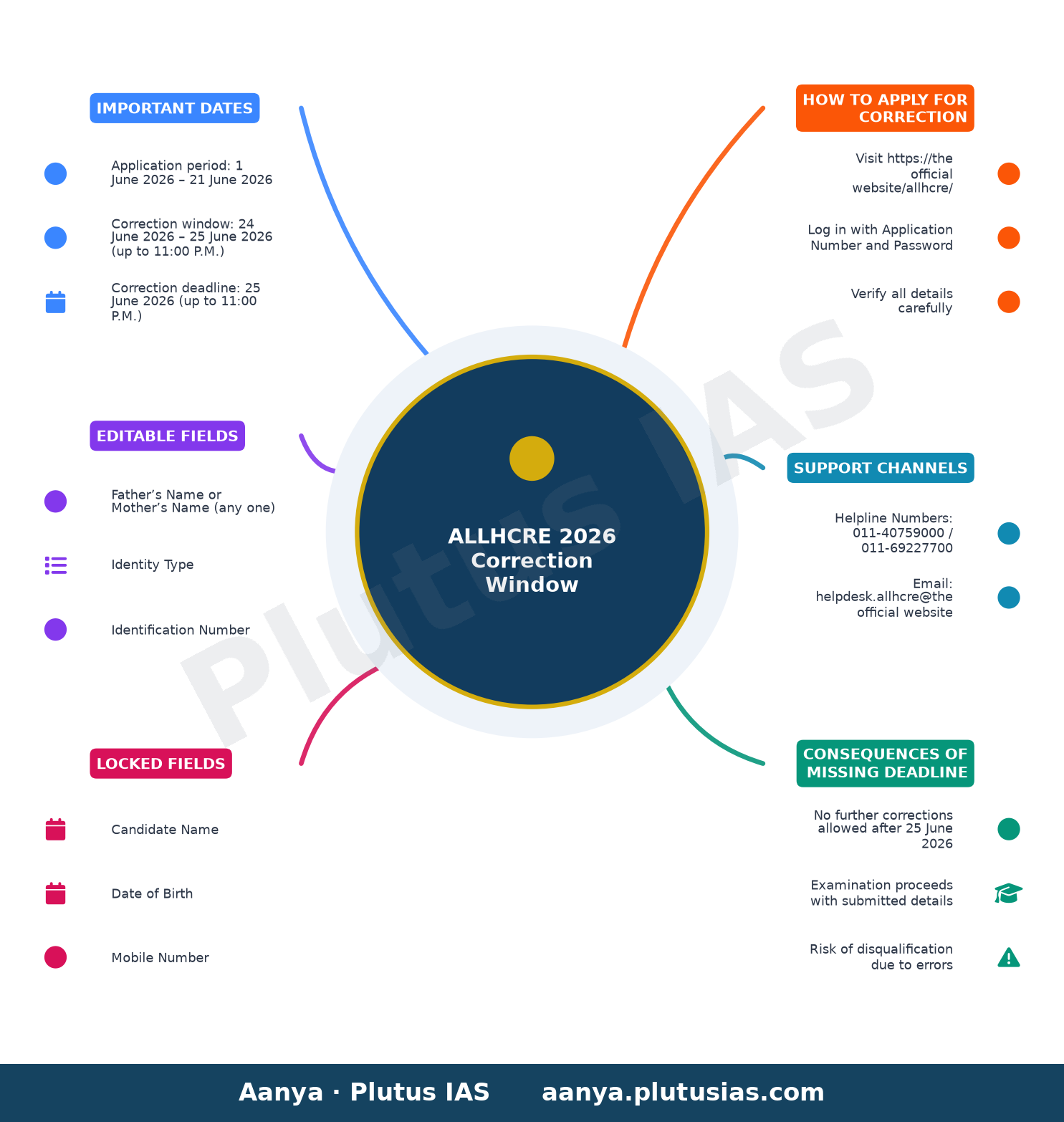
The NTA has opened a one-time correction window for the ALLHCRE 2026 recruitment exams for Review Officer, Assistant Review Officer, and Computer Assistant posts from 24 June to 25 June 2026. Candidates who applied between 1 June 2026 and 21 June 2026 must verify and correct their application particulars on the official portal before the deadline to avoid rejection.
| Post | Application Period | Correction Window | Correction Deadline |
|---|---|---|---|
| Review Officer, Assistant Review Officer & Computer Assistant | 1 June 2026 – 21 June 2026 | 24 June 2026 – 25 June 2026 (up to 11:00 P.M.) | 25 June 2026 (up to 11:00 P.M.) |
Why the Correction Window Matters for ALLHCRE 2026 Aspirants
The correction window is a critical final chance for candidates to rectify errors in their online application forms for the Review Officer, Assistant Review Officer, and Computer Assistant posts under the ALLHCRE 2026 recruitment. This facility is available only once, and no further corrections will be entertained after 25 June 2026 at 11:00 P.M. Aspirants are advised to review their submitted details meticulously to prevent disqualification due to clerical mistakes.
Fields That Can Be Edited in the Correction Window
The NTA has specified strict limitations on the fields that can be modified during the correction period. Candidates may change only the following fields:
- Father’s Name or Mother’s Name (any one)
- Identity Type
- Identification Number
- Permanent and Present Address
- Education Qualifications
- Alternate Contact Number
- Left Hand Thumb Impression
Fields That Cannot Be Edited After Submission
Several critical fields are locked and cannot be altered under any circumstances during or after the correction window. These include:
- Candidate Name
- Date of Birth
- Mobile Number
- E-Mail Address
- Domicile
- Category
- Sub Category
- E.S.M. Details
- Gender
- Preferential Qualification
- Photograph of Candidate
- Signature of Candidate
- Live Captured Photograph
How to Access and Use the Correction Window for ALLHCRE 2026
- Log in to the official portal: Visit the NTA’s dedicated portal for ALLHCRE 2026 at the official website of the conducting body.
- Enter credentials: Use your Application Number and Password to log in to your candidate dashboard.
- Verify details: Carefully review all the fields in your application form, especially the locked fields, to ensure accuracy.
- Make corrections: Edit the allowed fields as per your requirements. Ensure that all changes are accurate and complete before submission.
- Submit and freeze: After making corrections, submit the form. Once submitted, the form will be frozen, and no further changes can be made.
- Download confirmation: Save or print the corrected application form for your records. This serves as proof of your submitted corrections.
Common Mistakes to Avoid During the Correction Window
Candidates must exercise extreme caution while using the correction window to avoid common pitfalls that could lead to disqualification:
- Incorrect personal details: Double-check your name, date of birth, and contact details to ensure they match your official documents.
- Category and domicile errors:
- Verify that your category (General, OBC, SC, ST, EWS) and domicile status are correctly entered, as these affect eligibility and reservations.
- Education qualification discrepancies: Ensure that your educational qualifications are accurately reflected, including degrees, marks, and year of passing.
- Address errors: Update your permanent and present addresses correctly to avoid issues with communication or document delivery.
Support and Assistance for ALLHCRE 2026 Candidates
For any queries or clarifications regarding the ALLHCRE 2026 recruitment examination, candidates can reach out to the NTA helpline or email support:
- Helpline Numbers: 011-40759000 / 011-69227700
- Email Support: helpdesk.allhcre@the official website of the conducting body
It is advisable to contact the support team well before the correction window closes to ensure timely resolution of any issues.
What Happens After the Correction Window Closes?
Once the correction window closes on 25 June 2026 at 11:00 P.M., no further changes to the application form will be permitted. The NTA and the High Court of Judicature at Allahabad will proceed with the examination process based on the final submitted details. Candidates are urged to complete their corrections promptly to avoid last-minute technical glitches or delays.
Key Takeaways for ALLHCRE 2026 Aspirants
- The correction window for ALLHCRE 2026 is open from 24 June to 25 June 2026, closing at 11:00 P.M. on the last day.
- Only specific fields, such as father’s/mother’s name, address, and education qualifications, can be edited during this period.
- Critical fields like name, date of birth, and contact details cannot be changed after submission.
- Candidates must verify their details thoroughly and submit corrections before the deadline to avoid disqualification.
- For assistance, contact the NTA helpline or email support provided in the public notice.
Frequently Asked Questions (FAQs) for ALLHCRE 2026 Correction Window
-
Q: Can I change my category during the correction window?
A: No, the category field is locked and cannot be edited after submission. Ensure your category is correctly entered during the initial application.
-
Q: What should I do if I entered the wrong education qualification?
A: You can edit the education qualifications field during the correction window. Ensure the details match your official documents.
-
Q: Is there a limit to the number of corrections I can make?
A: No, there is no limit to the number of corrections you can make within the allowed fields. However, you can only submit the corrections once, and the form will be frozen afterward.
-
Q: Can I change my mobile number or email address during the correction window?
A: No, the mobile number and email address fields are locked and cannot be edited after submission.
-
Q: What happens if I miss the correction window deadline?
A: If you miss the correction window, you will not be able to make any changes to your application form. The NTA will proceed with the examination based on the details you submitted initially.
Source: the official website of the conducting body — confirm every detail there before acting.
today — always confirm every detail on the official website of the conducting body before acting.
Related updates on OurEducation
- Mppsc: Caveat Vigyapti on Written Exam Result – Assistant
- IIMs mull common UG entrance test and centralised MBA
- SBI Clerk Admit Card 2026 Full Details Check Now
- CAPF BSF: LINK FOR OBJECTION MANAGEMENT PORTAL OF CBT EXAM
- ESIC Senior Resident Walk-in Interview 2026 Full Details
Discover more from Our Education | Best Coaching Institutes Colleges Rank
Subscribe to get the latest posts sent to your email.
« Mppsc: Caveat Vigyapti on Written Exam Result – Assistant Allahabad High Court Recruitment 2026 Full Details »
Tell us Your Queries, Suggestions and Feedback