
SBI CRPD V1.0 Registration Extended till 28.09.2026: Apply Now
Last Updated: Oct 22, 2026
Latest update (today): SBI: APPLY ONLINE (Online Registration Extended till 31.10.2026). Official notice.
The online registration for SBI CRPD V1.0 has been extended until 28.09.2026. Candidates must complete their applications before the deadline to avoid missing the opportunity. Registration numbers and passwords are generated only upon successful submission and are essential for future downloads like admit cards and results.
| Process Step | Key Action | Verification Method |
|---|---|---|
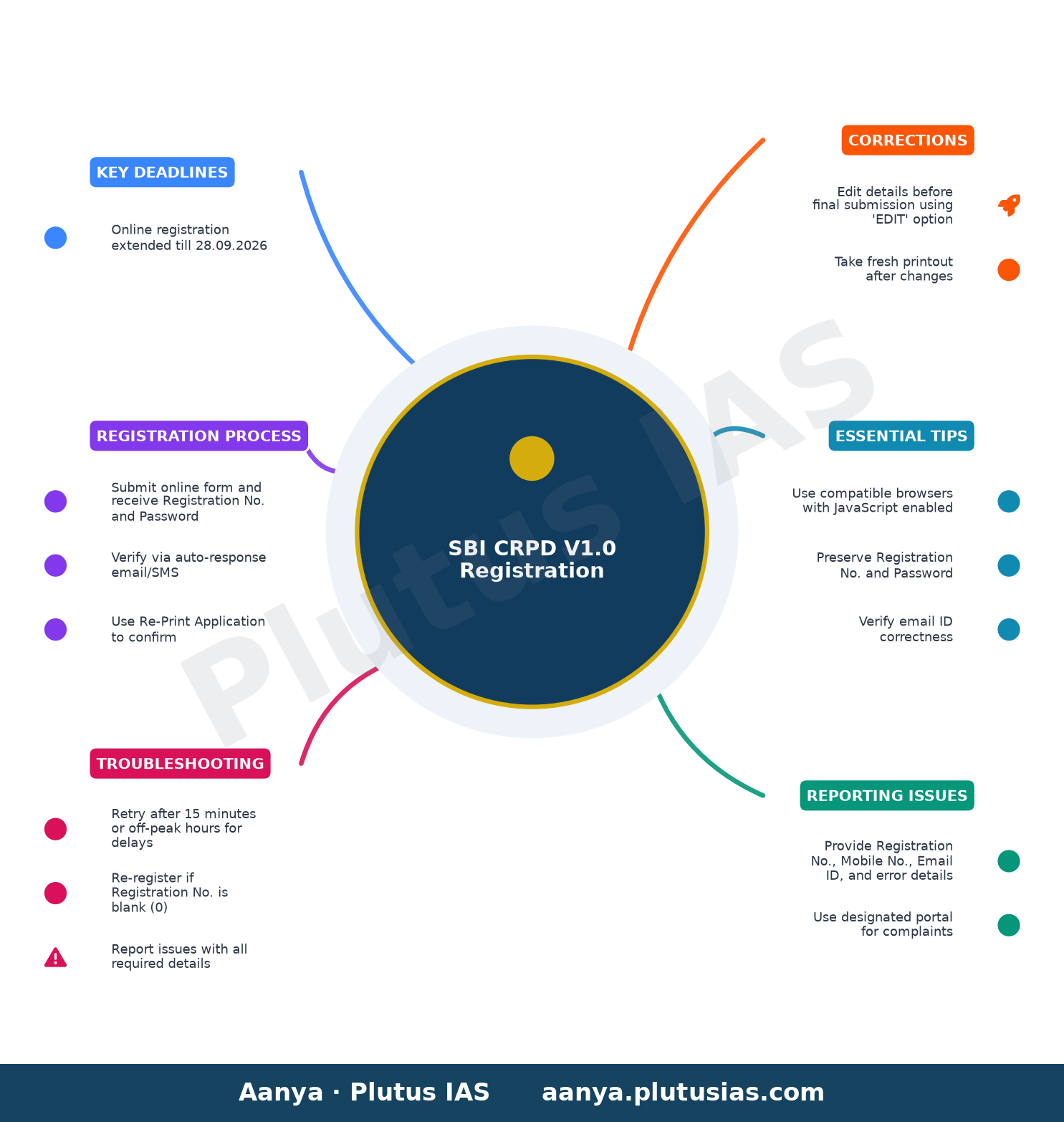
| Registration | Submit online form and receive Registration No. and Password via email/SMS | Check auto-response email/SMS or reprint application |
| Application Correction | Edit details before final submission using the ‘EDIT’ option | Take fresh printout after changes |
| Re-registration | Re-apply if Registration No. is blank (0) or application not saved | Use Re-Print Application option to confirm |
Why the Registration Process is Crucial
The SBI CRPD V1.0 online registration is the gateway to securing a position in the Specialist Cadre Officer recruitment. The process involves submitting personal, educational, and professional details through the official portal. However, delays or errors during registration can lead to disqualification, making it imperative to follow the steps carefully.
The registration number and password generated upon successful submission are the only credentials required to access future documents such as admit cards, results, and scorecards. Without these, candidates cannot download any further materials or receive updates about the recruitment process. Therefore, preserving these details is non-negotiable.
Common Registration Pitfalls to Avoid
- Blank Registration No.: In rare cases, candidates may receive a blank (0) registration number. This indicates a failed submission, and candidates must re-register immediately.
- Zero Auto-Response: If no email or SMS is received after 24 hours, candidates should verify the correctness of the email ID provided and check spam folders. Delivery issues may arise due to email service provider policies or company firewalls.
- Internet Disruptions: A blank screen or disconnection during submission does not guarantee that the application is saved. Candidates must use the Re-Print Application option to confirm successful registration.
Troubleshooting Registration Delays and Errors
Registration delays are often caused by high traffic on the portal, slow internet speeds, or server issues. Candidates experiencing such delays should retry after 15 minutes or during off-peak hours. If the issue persists, they can report it through the designated portal: https://www.sbi.co.in/careers/psq.htm?action=pquery.
To resolve registration errors, candidates must provide specific details in their complaint, including the registration number, name of the bank, post applied for, email ID, contact number, operating system, browser version, and the exact error message encountered. JavaScript must be enabled, and candidates are advised to attempt the registration again using compatible browsers like Internet Explorer 10+, Mozilla Firefox 20+, or Google Chrome 30+.
What to Do If Registration Fails
If a candidate’s application is not saved or they receive a blank registration number, they must re-register immediately. The Re-Print Application option allows candidates to verify whether their application was successfully submitted. If the application is not saved, they should re-apply without delay to meet the extended deadline of 28.09.2026.
Correcting Application Details Before Final Submission
Candidates are allowed to edit their application details before the final submission using the ‘EDIT’ option. However, once the application is submitted, no further changes can be made. Therefore, it is critical to review all entered information carefully before clicking the submit button.
After making any corrections, candidates must take a fresh printout of the application to ensure the updated details are reflected. This printout serves as a backup and should be preserved along with the registration number and password.
How to Check and Confirm Your Registration
- Submit the Online Form: Fill in all required details and click the submit button.
- Verify Registration: Check the page displayed after submission for the generated Registration No. and Password. These credentials will also be sent to the registered email ID and mobile number.
- Re-Print Application: Use the Re-Print Application option to generate a printout of the application. This confirms whether the application was successfully saved.
- Check Auto-Response: Look for the auto-response email or SMS containing the registration details. If not received within 24 hours, verify the email ID and check spam folders.
- Report Issues (if any): If the registration number is blank or the application is not saved, re-register immediately. For persistent issues, report the problem using the designated portal with all required details.
Essential Tips for a Smooth Registration Process
- Use Compatible Browsers: Ensure JavaScript is enabled and use browsers like Internet Explorer 10+, Mozilla Firefox 20+, or Google Chrome 30+.
- Check Internet Speed: Slow internet can cause delays. Retry during off-peak hours if the portal is unresponsive.
- Preserve Registration Details: The registration number and password are required for all future interactions with the conducting body. Do not lose them.
- Verify Email ID: Ensure the email ID provided is correct and active. Incorrect or inactive email IDs may result in non-receipt of registration details.
- Re-Register if Necessary: If the application is not saved or the registration number is blank, re-register immediately to meet the deadline.
Frequently Asked Questions About SBI CRPD V1.0 Registration
What should I do if there is a delay in accessing the registration page?
Delays in accessing the registration page are often due to high traffic or slow internet speeds. Retry after 15 minutes or during off-peak hours in the night.
How do I know if my application is registered successfully?
Successful registration is indicated by a page displaying the generated Registration No. and Password. These details are also sent to your registered email ID and mobile number.
I did not receive the email or SMS confirmation for my registration. What should I do?
Delivery of confirmation emails or SMS depends on the correctness of the email ID provided and the policies of your email service provider. Check your spam folder and verify the email ID. If the issue persists, report it using the designated portal.
What details should I provide when reporting a registration issue?
Provide the Registration No., Mobile No., Email ID, name of the bank, post applied for, operating system, browser version, and a screenshot of the error message. Also, confirm if JavaScript is enabled.
Can I correct the details entered in the application after submission?
No, the details entered cannot be modified after the final submission of the application. Use the ‘EDIT’ option before submission to make corrections.
Final Reminder: Meet the Deadline
The online registration for SBI CRPD V1.0 has been extended until 28.09.2026. Candidates must complete their applications before this date to avoid disqualification. Ensure all details are correct, and preserve the registration number and password for future use. For any issues, use the designated portal to report problems with all required details.
Source: the official website of the conducting body — confirm every detail there before acting.
today — always confirm every detail on the official website of the conducting body before acting.
Related updates on OurEducation
- BITS Pilani LEAD Academic Program Full Details
- CBSE Private Candidate Form 2027 Full Details
- TNPSC Group 1 Prelims Hall Ticket 2026 released: Download now
- TNPSC Group 1 Prelims Hall Ticket 2026 released, download
- UPSC ESE 2027: Registration begins for 480 posts at
Related updates on OurEducation
- CBSE fresh Class 12 exams West Asia students no fee 40
- CBSE Class 12 Re-exam 2024 for West Asia Full Details
- SSC CGL city slip 2026 out: Check exam city, shift timings
- CBSE 10th, 12th Boards 2027: Subject-wise sample papers
- Allahabad High Court Recruitment 2026 Full Details
Related updates on OurEducation
- Uksssc: पदनाम-लाईनमैन (ADV 74 ) पदों के प्रवेश पत्र(ADMIT
- Uksssc: पदनाम-मनोवैज्ञानिक (ADV 74 ) पदों के प्रवेश
- Uksssc: पदनाम- प्रशिक्षक /अनुदेशक(ADV 74 ) पदों के प्रवेश
- UPSC Principal, Vice-Principal CRT 2026 postponed; revised
- NIFTEE 2027 registration begins at exams.nta.nic.in; check
Discover more from Our Education | Best Coaching Institutes Colleges Rank
Subscribe to get the latest posts sent to your email.
« 19-09-2026 Single Bench- XIV presided by Hon’ble Shri Justice RPSC: 20/09/2026 Question Paper for Sub Inspector Comb. Comp. »
Tell us Your Queries, Suggestions and Feedback