

GPSC Newspaper Format Advertisement 2026-27 Full Details
Last Updated: Nov 6, 2026
Latest update (0): GPSC: Newspaper Format Advertisement for Online Advertisements from Advt. No. 60/2026-27 to 65/2026-27 starting from 06.11.2026 13:00 to 20.. Official notice.
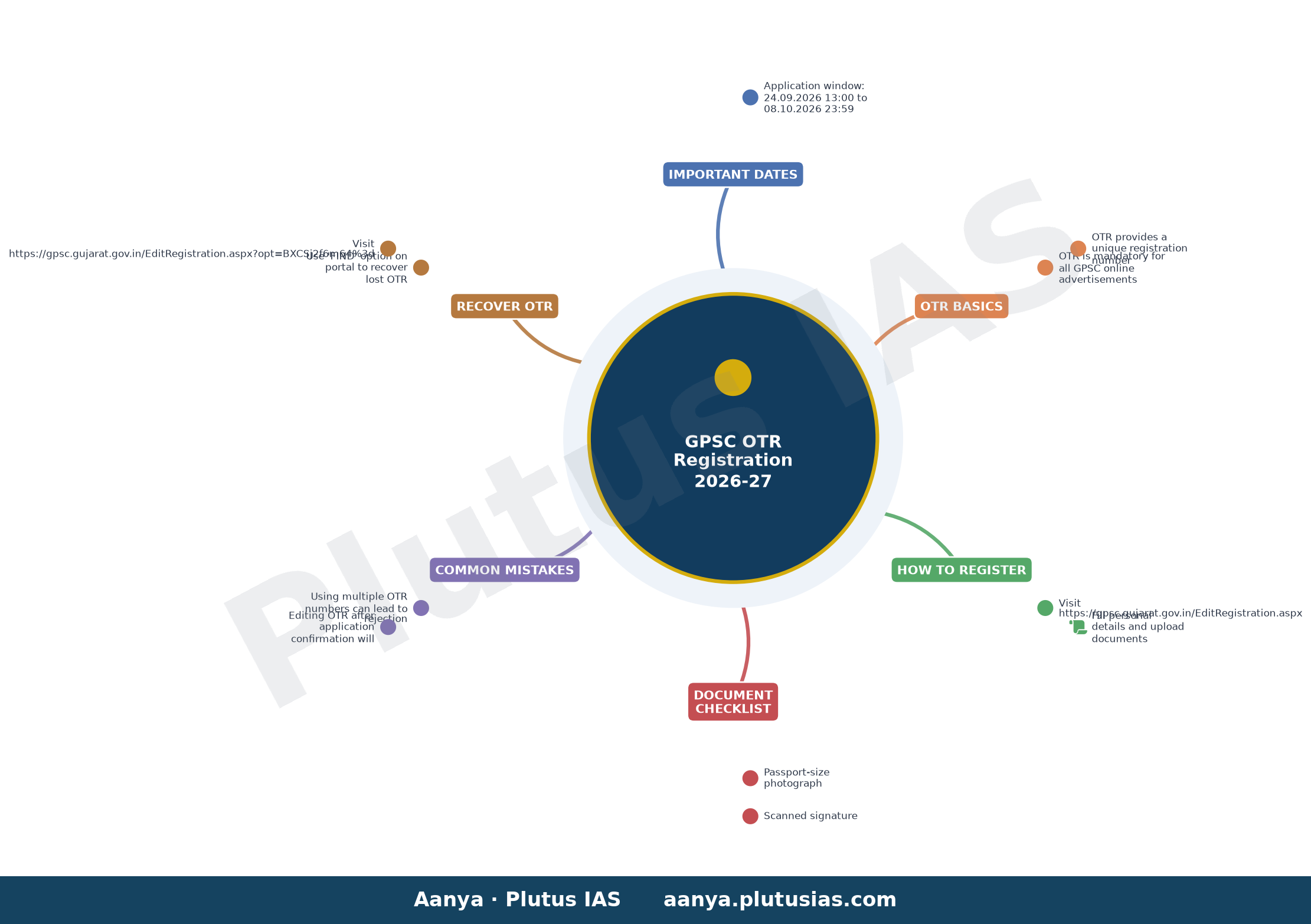
GPSC’s Newspaper Format Advertisement for Online Advertisements (Advt. No. 42/2026-27 to 56/2026-27) opens for OTR-based applications from 24.09.2026 13:00 to 08.10.2026 23:59. Candidates must complete One Time Registration (OTR) before applying; OTR is mandatory for all GPSC online advertisements. Failure to use the same OTR across multiple applications can lead to rejection of applications.
| Activity | Dates & Time |
|---|---|
| Online Advertisement Application Window | 24.09.2026 13:00 to 08.10.2026 23:59 |
Why OTR is the gateway to every GPSC online advertisement
One Time Registration (OTR) is a permanent profile created by the conducting body for Gujarat Public Service Commission (GPSC) examinations and advertisements. Once registered, candidates receive a unique OTR number that must be quoted in every subsequent GPSC online application. The OTR stores your verified personal details, uploaded documents, and academic records, eliminating the need to re-enter them for each advertisement.
Without a valid OTR number, no candidate can submit an application for any GPSC online advertisement. The OTR system ensures that only verified profiles proceed to application submission, reducing errors and streamlining the selection process.
OTR is not automatic approval
Completing OTR does not automatically enter you into the advertisement’s application pool. After OTR registration, you must separately apply for each advertisement using your OTR number, submit the application form, and obtain an Application Number and Confirmation Number. Only then is your application considered valid and counted toward the advertisement’s merit list.
Documents and details required for OTR registration
Candidates must upload the following documents during OTR registration:
- Passport-size photograph (recent, clear, and in specified format)
- Scanned copy of signature
- All educational certificates and mark sheets (as applicable)
- Caste certificate (if applicable)
- Income certificate (if applicable)
- Disability certificate (if applicable)
Personal details such as name, date of birth, address, and contact information must be entered accurately. Any discrepancy detected later can lead to disqualification.
Common mistakes that can invalidate your OTR-based application
Using multiple OTR numbers
Each candidate is allowed only one OTR number. Using more than one OTR number for different advertisements can result in the rejection of all applications. The conducting body monitors OTR usage across advertisements and will cancel applications if multiple OTRs are detected. The decision of the conducting body in such cases will be final.
Editing OTR after application confirmation
Once an application is confirmed (i.e., after obtaining the Confirmation Number), any changes made to the OTR profile will not reflect in that application. However, you can still edit your OTR profile for future advertisements until you submit a new application. After an application is submitted and confirmed, changes to OTR details will not affect that particular application.
How to register for OTR and apply for advertisements
- Visit the OTR registration portal: Go to gpsc.gujarat.gov.in.
- Complete profile creation: Fill in personal details, upload required documents, and verify all information.
- Obtain OTR number: After successful registration, note down your unique OTR number.
- Wait for OTR confirmation: Ensure your OTR profile is verified and activated before proceeding.
- Apply for advertisements: During the advertisement application window, log in using your OTR number, fill the application form, upload necessary documents, and submit.
- Note Application and Confirmation Numbers: After submission, save your Application Number and Confirmation Number for future reference.
- Check application status: Monitor your application status on the official portal using your OTR number and application credentials.
Recovering a lost or forgotten OTR number
If you forget or lose your OTR number, you can retrieve it using the ‘FIND’ option available on the OTR registration portal. Visit gpsc.gujarat.gov.in and follow the instructions to recover your OTR number.
Why OTR matters beyond a single advertisement
The OTR system is designed to serve as a lifelong academic and professional profile for candidates appearing in GPSC examinations and advertisements. It centralizes your verified data, making it easier to apply for multiple advertisements without re-uploading documents each time. This system also helps the conducting body maintain accurate records and streamline the recruitment process.
Candidates are advised to keep their OTR profiles updated with the latest information, including changes in educational qualifications, contact details, or documents. Regularly reviewing and updating your OTR profile ensures that you are always prepared to apply for any GPSC online advertisement without last-minute delays or errors.
Key takeaways for candidates
- OTR is mandatory for all GPSC online advertisements.
- Each candidate can have only one OTR number.
- Applications are valid only after obtaining an Application Number and Confirmation Number.
- Editing OTR after application confirmation will not affect that application.
- Using multiple OTR numbers can lead to rejection of all applications.
- OTR profiles can be updated until a new application is submitted and confirmed.
- Lost OTR numbers can be retrieved using the ‘FIND’ option on the portal.
Next steps for aspirants
Candidates planning to apply for GPSC online advertisements must prioritize completing their OTR registration at the earliest. Ensure all uploaded documents are clear, accurate, and in the specified format. Once OTR is activated, regularly check the official portal for advertisement notifications and application windows. Prepare all required documents in advance to avoid last-minute hassles during the application process.
Official source: gpsc.gujarat.gov.in — confirm every detail here before acting.
0 — always confirm every detail on the official website of the conducting body before acting.
Related updates on OurEducation
- BPSC TRE-4 teacher recruitment 2026
- BPSC Exam Calendar: Check schedule for major recruitments here
- Bihar Vidhan Parishad Security Guard result 2026 out
- GPSC Prelims Postponed Due to Heavy Rainfall: Revised Date Soon, What Candidates Should Do
- UPSC Direct Recruitment 2026: ORA Applications Open Till August 14, Check Posts and How to
Related updates on OurEducation
- GPSC Safety Officer Prelim Syllabus 47/2026-27 | OTR Guide
- ISRO ICRB Mechanical Scientist/Engineer SC Results & Answer
- GPSC: Opt Out – 27/2025-26 IMPORTANT NOTICE REGARDING
- MP HC: 29-07-2026 Notification alongwith Final Results
- TGPSC Assistant Environmental Engineer Hall Ticket 2026
Related updates on OurEducation
- GPSC: Opt Out – 47/2023-24 Important Notice of Opt Out
- HSSC Group-25 final result declared for Advt. No. 08/2024
- GPSC Safety Officer Prelim Syllabus 47/2026-27 | OTR Guide
- ISRO ICRB Mechanical Scientist/Engineer SC Results & Answer
- GPSC: Opt Out – 27/2025-26 IMPORTANT NOTICE REGARDING
Related updates on OurEducation
- UPSC: Written Result (with name): Civil Services (Main)
- UPSC: Written Result: Civil Services (Main) Examination, 2026
- GUJ HC: Provisional List of Candidates for appearing in the
- ESIC Hospital Tirunelveli Result 2026 Full Details
- TS Intermediate Time Table 2027: Exam Dates Soon
Related updates on OurEducation
- UPSC: Written Result (with name): Civil Services (Main)
- UPSC: Written Result: Civil Services (Main) Examination, 2026
- GUJ HC: Provisional List of Candidates for appearing in the
- ESIC Hospital Tirunelveli Result 2026 Full Details
- TS Intermediate Time Table 2027: Exam Dates Soon
Discover more from Our Education | Best Coaching Institutes Colleges Rank
Subscribe to get the latest posts sent to your email.
« RPSC: 23/09/2026 Press Note Regarding Online Edit and ESIC Result 2026 Declared for Advt. No. 11 Senior Resident »
Tell us Your Queries, Suggestions and Feedback