
AFCAT 2 answer key 2026 released
Last Updated: Aug 12, 2026
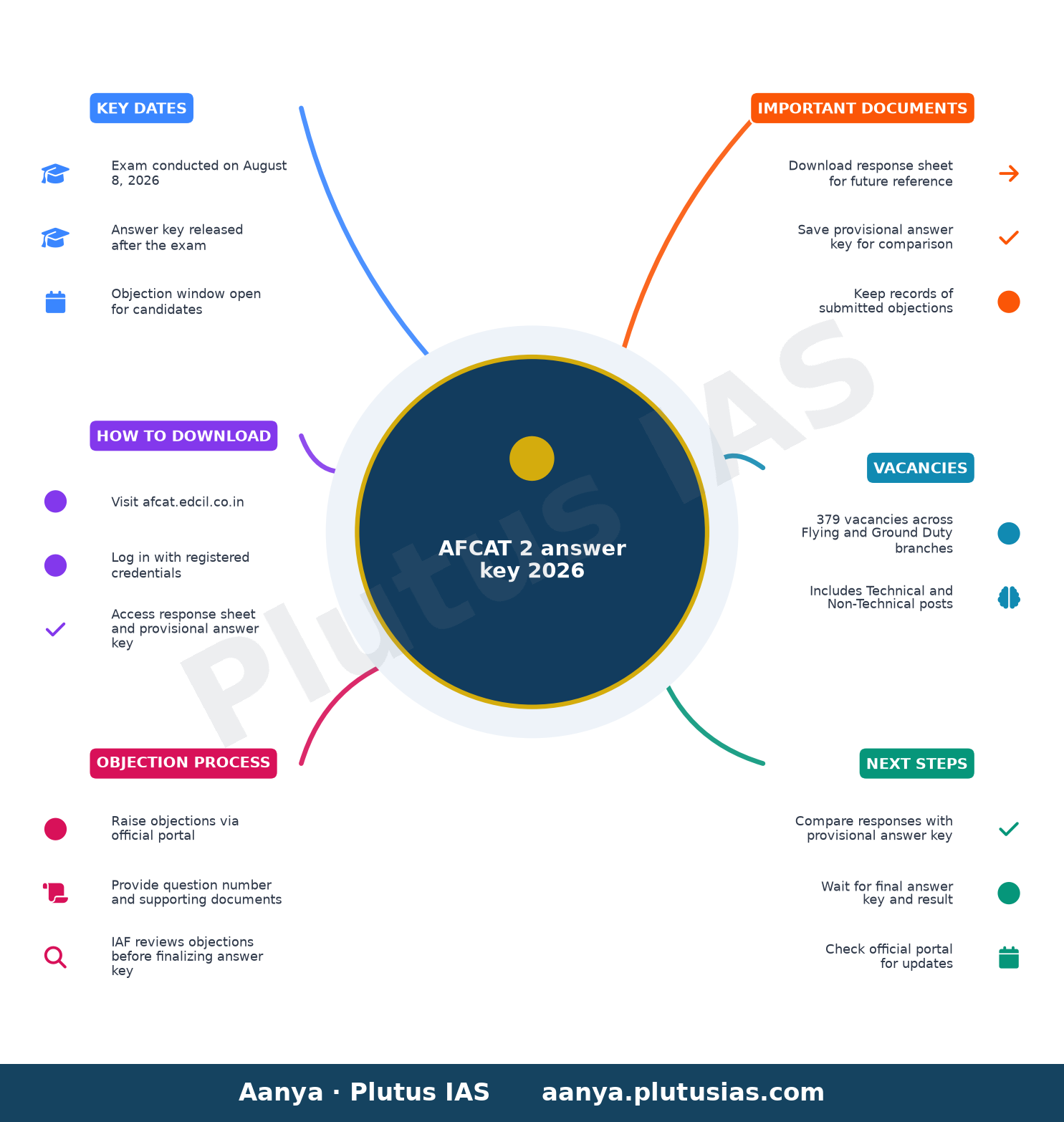
The Indian Air Force (IAF) has released the provisional answer key for the Air Force Common Admission Test (AFCAT) 2 2026 on afcat.edcil.co.in. Candidates who appeared for the exam on August 8, 2026, can now verify their responses against the official key and submit objections if discrepancies are found.
| Detail | Information |
|---|---|
| Exam conducted on | August 8, 2026 |
| Vacancies | 379 (Flying Branch and Ground Duty branches, including Technical and Non-Technical posts) |
| Answer key portal | afcat.edcil.co.in |
Why the AFCAT 2 Answer Key 2026 Matters
The provisional answer key for AFCAT 2 2026 is a critical document for candidates aiming to join the Indian Air Force. It allows them to cross-check their responses with the officially accepted answers, providing an early estimate of their performance before the final result is declared. This transparency helps candidates identify potential errors in the evaluation process and ensures fairness in the recruitment procedure.
The answer key is provisional, meaning it may undergo changes based on objections raised by candidates. The IAF will review all valid objections before finalizing the answer key, which will subsequently influence the final scores and merit list.
Key Features of the AFCAT 2 Answer Key 2026
Response Sheet and Provisional Answer Key
The response sheet contains the answers marked by candidates during the computer-based examination. The provisional answer key, on the other hand, lists the correct answers as per the IAF’s evaluation. By comparing both, candidates can assess their likely score and identify any discrepancies.
It is essential to download and save both the response sheet and the provisional answer key for future reference. These documents will be required during the objection process and for verifying the final result.
How the Objection Process Works
The IAF has provided a mechanism for candidates to challenge the provisional answer key if they find any errors. To raise an objection:
- Candidates must log in to the official AFCAT portal using their registered credentials.
- They should select the option to raise objections and provide details of the disputed question along with supporting documents.
- The IAF will review all objections and make necessary corrections before finalizing the answer key.
Candidates are advised to submit objections only if they have valid evidence, as frivolous objections may not be entertained.
Steps to Download the AFCAT 2 Answer Key 2026
- Visit the official AFCAT portal at afcat.edcil.co.in.
- Open the Candidate Login section.
- Enter your registered user ID and password.
- Enter the captcha displayed on the screen.
- Click on the sign-in option.
- Locate the link related to the AFCAT 2 answer key or response sheet.
- Open the provisional answer key and compare it with your recorded responses.
- Download and save the response sheet for future use.
What to Do After Downloading the Answer Key
Assessing Your Performance
After downloading the response sheet and provisional answer key, candidates should carefully compare their marked answers with the correct responses. This exercise helps in estimating the tentative score and understanding the areas where improvement is needed.
While the provisional answer key provides a preliminary idea of the score, candidates should wait for the final result for the official outcome. The final answer key will be released after considering all valid objections.
Raising Objections: Dos and Don’ts
Candidates must follow the prescribed procedure to raise objections. Here are some key points to keep in mind:
- Do: Provide clear details of the disputed question, including the question number and the answer marked by the candidate versus the official answer. Attach supporting documents or references to justify the objection.
- Don’t: Submit objections without valid evidence. Frivolous or unsubstantiated objections may lead to rejection.
- Do: Keep a record of the objection submission for future reference.
- Don’t: Wait until the last minute to raise objections, as the portal may have a deadline for submissions.
Important Points to Remember
- The provisional answer key is not the final version. Changes may be made based on valid objections.
- Candidates should retain a copy of the provisional answer key and response sheet for future reference.
- The final answer key will be released after reviewing all objections, and the final result will be declared subsequently.
- The official website of the conducting body is the only authorized platform for downloading the answer key and raising objections.
Frequently Asked Questions (FAQs)
-
How can I access the AFCAT 2 answer key 2026?
You can access the AFCAT 2 answer key 2026 by visiting the official AFCAT portal at afcat.edcil.co.in and logging in using your registered credentials.
-
What should I do if I find a discrepancy in the answer key?
If you find a discrepancy, you can raise an objection through the official AFCAT portal by providing details of the disputed question and supporting documents.
-
Will the final answer key be different from the provisional one?
Yes, the final answer key may differ from the provisional one if valid objections are raised and accepted by the IAF.
-
Is it mandatory to download the response sheet?
While it is not mandatory, it is highly recommended to download and save the response sheet for future reference, especially during the objection process and for verifying the final result.
-
Where can I find the official notification for AFCAT 2 2026?
All official updates, including the answer key and notification, are available on the official AFCAT portal at afcat.edcil.co.in.
Source: the official website of the conducting body — confirm every detail there before acting.
2026-08-11 — always confirm every detail on the official website of the conducting body before acting.
Related updates on OurEducation
- UPSC NDA & NA (I): Exam Date, Notification & Latest Update
- UPSC CDS (I): Exam Date, Notification & Latest Update
- NEET UG Counselling 2026 Registration
- AFCAT Admit Card 2026 released today
- What is AFCAT Exam | Eligibility | Pattern Know Everything about AFCAT
Discover more from Our Education | Best Coaching Institutes Colleges Rank
Subscribe to get the latest posts sent to your email.
« UPSC CAPF (AC): Exam Date, Notification & Latest Update TS ICET 2026 Round 1 Seat Allotment Result Declared at »
Tell us Your Queries, Suggestions and Feedback